Introducing Manus Browser Operator
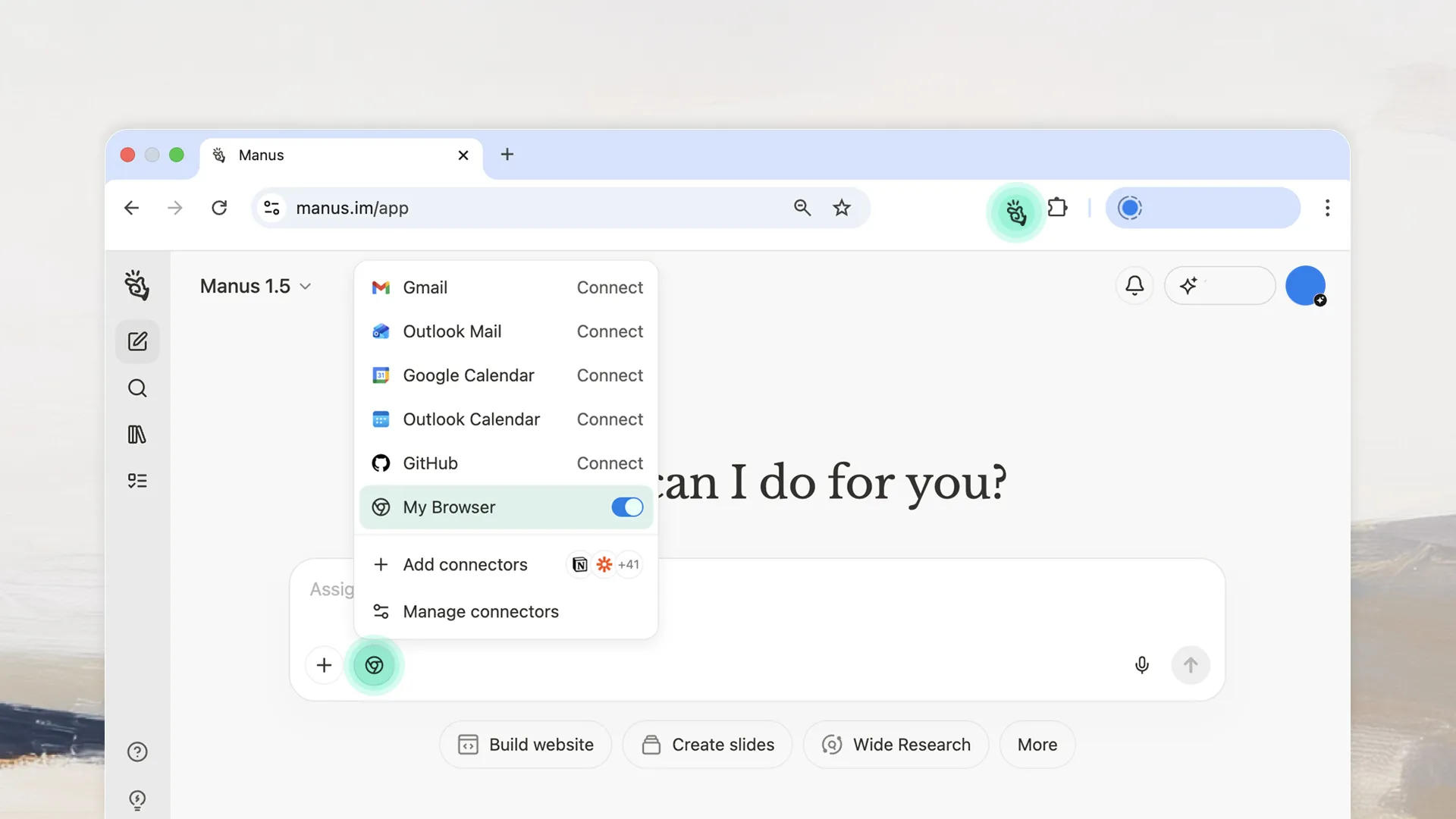
Manus Browser Operator is a browser extension that lets Manus work directly in your local browser. When you assign a task that needs logged-in access, Manus asks for permission to open a tab in your browser. You authorize it, Manus completes the task using your existing sessions, and you can interrupt or take over at any point. Everything happens in a visible tab you control.
Manus can assist within pages you already have open and have permission to access, sites like Crunchbase, PitchBook, SimilarWeb, New York Times, Financial Times, Semrush, Ahrefs—any tool or source you're subscribed to. It can access your company's internal dashboards that you have already been autheticated into and since the system views the activity as coming from your trusted local browser and IP, it clears standard access barriers as it operates.
How to use:

Activation & Authorization
If you toggle on the My Browser connector, every browser attempt will be through Manus Browser Operator, which requires explicit authorization for each session. You can enable streamlined prompts in the settings so Manus won’t ask for confirmation every time it opens a tab you’ve approved, but we still recommend supervision at all times.
Dedicated & Visible Workspace Upon authorization
Manus opens a new, dedicated browser tab. Here, you can watch it seamlessly perform the task. Think of it as your AI's personal workspace.
Real-Time Monitoring & Intervention
At any point, you can click into the dedicated tab to monitor Manus's progress or take over control yourself. When you're ready, simply tell Manus to continue where it left off.
Full Transparency & Control
Every action Manus takes is meticulously logged, providing complete transparency. If you need to stop a task instantly, just close the dedicated tab.
Access Anywhere (Local IP Advantage)
Because Manus operates locally within your browser, you can even initiate and monitor tasks from your phone or another device, while Manus accesses your desktop browser—as long as your desktop is online.
A few things to note: This is a beta feature rolling out to Pro, Plus, and Team users. Currently Chrome and Edge are recommended. We will be supporting more browsers soon. Complex interactions like drag-and-drop or multi-step forms may not work perfectly yet. And if a site contains sensitive information, review what Manus will access before authorizing, you can always interrupt.
Try Manus Browser Operator today and feel the difference.