10 Best AI Presentation Tools for Business in 2026 | Create Stunning Decks Fast
10 Best AI presentation tools for business in 2026
Want to create stunning business presentations in minutes, not hours? AI presentation tools are revolutionizing how professionals communicate ideas, pitch products, and share insights.
These innovative platforms can generate complete slide decks with just a single prompt—complete with professional designs, compelling content, and data visualizations that actually make sense.
But here's the thing: not all AI presentation tools are created equal. Some excel at design, others at content generation, and a few manage to nail both. To save you time (and potential headaches), I've personally tested and ranked the 10 best AI presentation tools for business in 2026.
Let's discover the perfect tool to transform your next business presentation!
What are AI presentation tools?
AI presentation tools are game-changers for business professionals, entrepreneurs, and corporate teams. These platforms leverage artificial intelligence to generate professional presentations that would typically take hours to create manually.
With an AI presentation maker, you simply provide a prompt or upload your content. Within minutes, it creates a complete presentation with 10-15 slides, including relevant images, charts, and well-structured content. The best tools offer extensive customization options and seamless export capabilities—often at reasonable price points.
Testing parameters
For this comprehensive review, I evaluated dozens of AI presentation tools specifically for business use cases. I focused on platforms that offer robust features for professional environments and excluded tools with overly restrictive free trials.
I assessed each tool based on critical business criteria:
•Content quality and relevance
•Professional design aesthetics
•Speed and efficiency
•Customization capabilities
•Export options (PowerPoint, PDF, etc.)
•Collaboration features
•Integration with business tools
•Data visualization capabilities
•Brand consistency options
•Value for money
Based on these parameters, here are the 10 best AI presentation tools for business in 2026.
10 Best AI presentation tools for business in 2026 (quick overview)
10 Best AI Presentation Tools for Business in 2026 (Quick Overview)
Tool Name | Best For | Key Strength |
Plus AI | PowerPoint/Google Slides users | Native integration |
Gamma | Modern, web-style presentations | Design consistency |
Manus | All-in-one AI workspace | Multi-format content creation |
Beautiful.ai | Data-driven presentations | Smart slides with auto-updates |
Canva | Visual-first presentations | Extensive design library |
Pitch | Sales and marketing teams | Sharp, on-brand decks |
Presentations.AI | Enterprise presentations | Test-drive presentations AI |
Prezi | Dynamic, non-linear presentations | Zooming interface |
Slidebean | Startup pitch decks | Self-service access AI pitch deck software |
Chronicle | Clean, minimalist design | Widget-based editing |
10 Best AI presentation tools for business in 2026
1. Plus AI
<!-- 技术参数:imageAlt: Plus AI -->

Plus AI is the best choice for businesses already invested in PowerPoint or Google Slides. Instead of forcing you to learn a new platform, Plus AI works directly inside your existing presentation software.
The tool integrates seamlessly as an add-on, allowing you to generate complete presentations, individual slides, or even reformat existing content—all without leaving PowerPoint or Google Slides. This native integration means zero disruption to your team's workflow.
Key business features:
•Native integration with PowerPoint and Google Slides
•Slide Remix feature to instantly change layouts
•Custom brand templates for enterprise consistency
•Live data snapshots from business intelligence tools
•Professional slide library with extensive customizable layouts
Plus AI excels at understanding different slide types and generating appropriate content for each. Whether you need a timeline, comparison chart, or executive summary, the AI selects the right format automatically.
The Remix feature is particularly valuable for busy professionals. Don't like how a slide looks? One click generates alternative layouts without losing your content. This saves countless hours of manual reformatting.
For enterprise teams, Plus AI offers custom template support, ensuring every presentation maintains brand consistency. Your company's fonts, colors, and design guidelines are automatically applied.
Pricing: Free trial available; paid basic plans from $10/month, best for individuals who need to create basic presentations.
2. Gamma
<!-- 技术参数:imageAlt: Gamma -->

Gamma represents the future of business presentations—moving beyond traditional slides to create engaging, web-style content that captures attention.
The platform generates beautiful presentations with a modern aesthetic that stands out in crowded inboxes and video calls. Gamma's AI creates detailed content with relevant images and data visualizations, all wrapped in a cohesive design system.
Business advantages:
•400 free AI credits to start (1 presentation = 40 credits)
•Web-based presentations that work on any device
•Analytics tracking to see who viewed your deck
•GIF and video embedding for dynamic content
•One-click styling for instant brand alignment
Gamma's presentations feel more like interactive websites than static slides. This modern approach resonates particularly well with tech-savvy audiences and younger stakeholders.
The platform includes a massive template library categorized by business use case—from sales pitches to product roadmaps. Each template is professionally designed and fully customizable.
One minor drawback: free exports include a watermark. However, the Pro plan at $8/month removes branding and unlocks unlimited AI usage.
Pricing: Free plan with 400 credits; Pro at $8/month(billed annually) with AI-powered unlimited creation.
3. Manus
<!-- 技术参数:imageAlt: Manus -->

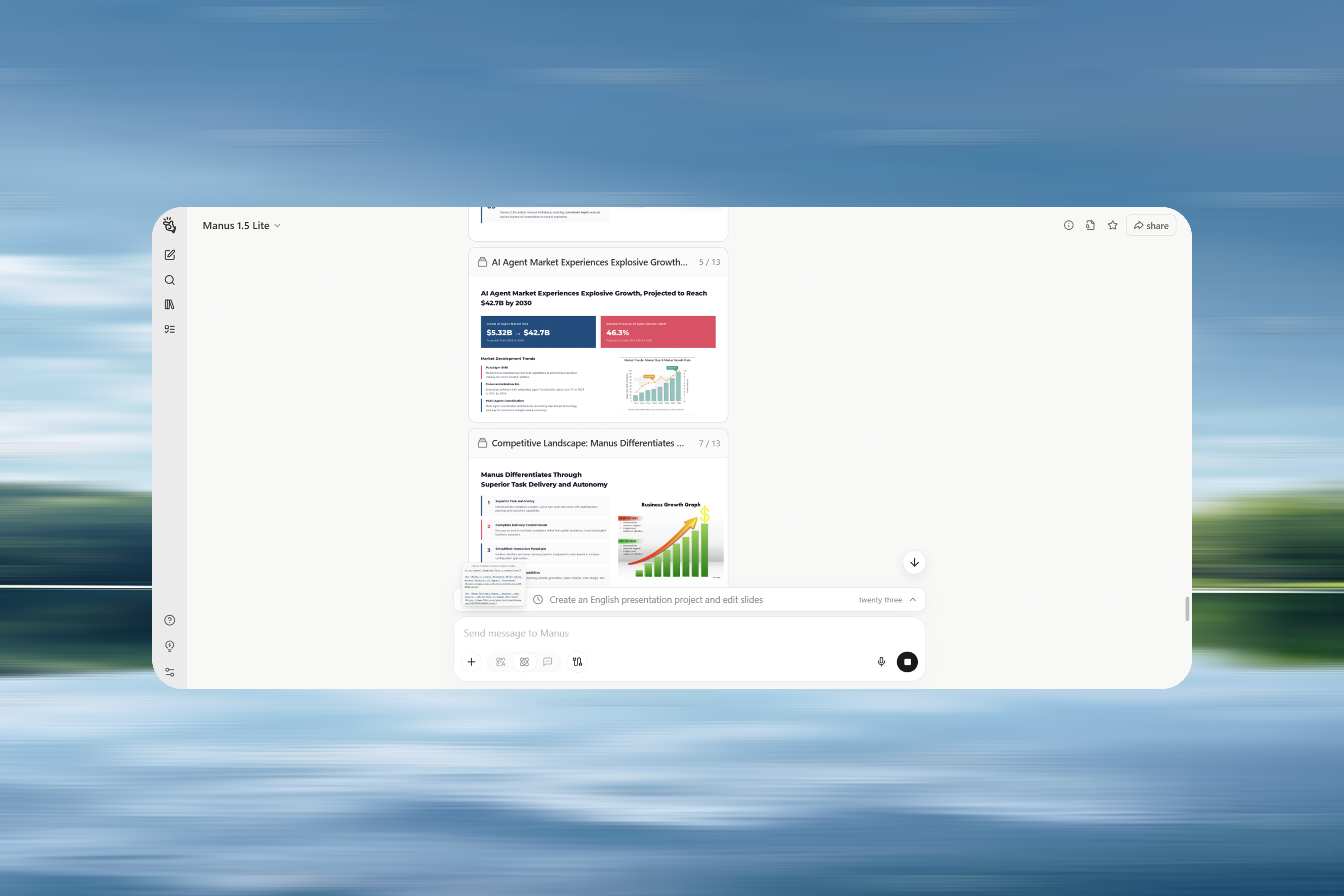
When it comes to creating professional business presentations, Manus stands out for its ability to go far beyond slide generation. Unlike tools that simply automate layout design, Manus acts more like an AI research and presentation partner, handling the entire workflow—from information gathering and data analysis to content writing and final polish.
Unique business features:
1. Rapid and comprehensive information gathering
Manus excels at research. Its real-time web search capability allows users to instantly collect the latest industry trends, market data, and competitive insights from across the internet.
Beyond search, it offers multi-source integration, meaning it can synthesize findings from reports, articles, and databases into a coherent, well-structured narrative. This feature ensures that business presentations are grounded in current and reliable information rather than outdated or fragmented data.
2. Powerful data analysis and visualization
For data-heavy presentations, Manus can process raw datasets such as sales reports, financial statements, or survey results, then identify key performance metrics and insights.
Its automatic chart and graph generation converts complex datasets into intuitive visuals—bar charts, line graphs, pie charts—making it easier to communicate trends and support data-driven arguments.
3. Professional and efficient content creation
Manus’s strength also lies in content structuring and refinement. Users can provide just a topic, audience, and objective, and the tool will generate a logical slide-by-slide outline for a PowerPoint deck.
It can then draft and polish the text, ensuring the tone is professional and aligned with a corporate audience. For global teams, Manus offers multi-language support, enabling seamless translation for international presentations.
4. Intelligent multimedia integration
Manus enhances presentation quality with AI-assisted multimedia sourcing. It can locate or generate relevant images, icons, and short videos to match the narrative, improving visual engagement.
Hands-on with Manus: Turning raw data into a board-ready QBR in minutes
When I first tested Manus, I wanted to see how it would handle a real-world, high-stakes business scenario — something that many professionals face regularly: a Quarterly Business Review (QBR).
The scenario
A Regional Sales Director at a global electronics company had just three days to prepare a 15-slide presentation for the executive board. Her challenge? Analyze Q3 sales data, explain underperformance in one product category, and present a solid, data-backed strategy for Q4.
Step 1: Instant data processing
She started by uploading a raw CSV file of all Q3 transactions and simply asked:
“Manus, here is my Q3 sales data. Can you summarize key metrics and tell me which product category missed the $2.5M target?”
Within seconds, Manus processed the dataset, calculated total revenue and units sold per category, and revealed that Laptops had fallen short at $1.8M. It even auto-generated visuals — a bar chart of revenue by category and a pie chart of overall sales mix.
Step 2: Research beyond the numbers
The next question was why laptop sales were down.
“Can you check for major competitor launches, negative reviews, or supply chain issues in Q3?”
Manus searched the web and synthesized insights:
•A competitor, InnovateCorp, had launched an aggressively priced UltraBook Pro in July.
•Tech reviews noted weaker battery life in the director’s product line.
•A minor display panel shortage in August disrupted production.
In a few moments, she had context — not just numbers.
Step 3: Strategy and slide creation
Armed with insights, the director asked Manus to build her QBR outline:
“Create a 15-slide presentation with an executive summary, Q3 overview, laptop analysis, and a Q4 strategy proposal.”
Manus responded with a complete slide-by-slide structure — including clear titles, bullet points, and business-ready phrasing. For the Q4 plan, it even suggested a ‘Power-Up’ promotional bundle and a targeted digital marketing campaign focused on the laptops’ strengths.
Step 4: Final polish
For finishing touches, she asked Manus to source a royalty-free image of a focused team for the strategy slide and an inspirational quote on overcoming challenges for the conclusion. Manus delivered both — instantly.
The outcome
In just a few minutes, the Sales Director went from raw data to a polished, persuasive board presentation. Instead of wrestling with spreadsheets and slides, she could focus on storytelling and strategic discussion — the parts that actually matter.
That’s the power of Manus: turning complexity into clarity, and saving professionals countless hours in the process.
The only consideration is that Manus presentations are HTML-based, which means they're optimized for digital presentation rather than traditional slide formats. However, the export options ensure you can still share in standard formats when needed.
Pricing: Free plan available; paid plans start at $192/year ($16/month when billed annually) or $19/month with monthly billing and include unrestricted access to chat mode and advanced features.
4. Beautiful.ai
<!-- 技术参数:imageAlt: Beautiful.ai -->

Beautiful.ai is purpose-built for data-driven business presentations that need regular updates. If you're creating monthly reports, quarterly reviews, or recurring stakeholder updates, this tool will save you significant time.
The platform's signature feature is Smart Slides—dynamic content containers that automatically update when you change the underlying data. Update your sales numbers once, and every chart and reference updates automatically.
Business-focused features:
•Smart slides for charts, timelines, and data visualizations
•Team collaboration with slide assignments
•Version history to track changes
•Presentation analytics to measure engagement
•Brand kit for consistent company styling
Beautiful.ai keeps editing simple with intuitive Layouts and Variations tabs. Instead of manually dragging elements around, you select from pre-designed options that automatically arrange your content professionally.
The collaboration features are excellent for distributed teams. Assign specific slides to team members, leave comments, and track who's made changes. You can even record audio/video walkthroughs for asynchronous feedback.
Pricing: Plans start at $12/month (billed annually).
5. Canva
<!-- 技术参数:imageAlt: Canva -->

Canva brings its design-first philosophy to business presentations, offering an all-in-one platform that handles everything from slide decks to social media graphics.
The AI presentation maker (Magic Design) generates visually appealing presentations with Canva's signature aesthetic. While the content tends to be lighter than specialized tools, the visual quality is consistently excellent.
Business benefits:
•Brand Kit stores logos, fonts, and colors
•Extensive template library (photos, icons, videos)
•Team collaboration with real-time editing
•Magic Write for AI-powered content generation
•Multiple export formats (PDF, PPT, MP4 video)
Canva excels when you need presentations that double as marketing materials or when visual impact matters more than dense content. The platform's intuitive interface means anyone on your team can create professional-looking slides.
The Magic Write feature helps overcome writer's block by generating or improving text anywhere in your presentation. Combined with Magic Media for AI image generation, you have a complete creative toolkit.
For businesses already using Canva for other design needs, adding presentations to your workflow is seamless.
Pricing: Free plan available; Pro at $12/month (billed annually) for 1 user.
6. Pitch
<!-- 技术参数:imageAlt: Pitch -->

Pitch is built specifically for sales and marketing teams who need to create personalized presentations quickly and track their performance.
The platform combines beautiful design with practical business features like view tracking and data integrations. You'll know exactly when prospects open your deck and which slides they spend time on.
Sales-focused features:
•Pitch Room for combining decks with video walkthroughs
•View analytics to track engagement
•Data integrations (Google Analytics, ChartMogul)
•Custom permissions for external sharing
•Video recording for asynchronous presentations
The Pitch Room feature is particularly valuable for sales teams. Create a shareable space that combines your presentation, proposal documents, and video walkthroughs—everything a prospect needs in one place.
Pitch integrates with popular data sources, allowing you to pull live statistics directly into your slides. This ensures your sales presentations always show current metrics without manual updates.
The platform's analytics tell you when presentations are opened, how long viewers spend on each slide, and which sections generate the most interest. This intelligence helps sales teams follow up more effectively.
Pricing: Free plan available; Pro at $25/month(save 17% with yearly) for professionals and small teams who need sharp, on-brand decks.
7. Presentations.AI
<!-- 技术参数:imageAlt: Presentations.Al -->

Presentations.AI is our runner-up for enterprise-grade presentations. The platform generates high-quality content with comprehensive coverage and professional data visualizations.
What distinguishes Presentations.AI is its advanced customization options. You can adjust text length from short to long, control the level of detail, and fine-tune the tone—features missing from most competitors.
Enterprise features:
•Different pre-built templates for various business scenarios
•Text length customization (short, medium, long)
•Audience targeting to adjust content complexity
•Analytics dashboard to track presentation performance
•PowerPoint and Google Slides integration
The AI generates presentations with 10 slides that include well-designed charts, timelines, and infographics. The content quality is consistently high, with appropriate context for business audiences.
Presentations.AI offers more editing capabilities than most competitors, giving you granular control over every aspect of your deck. This makes it ideal for businesses with specific brand guidelines or presentation standards.
The main limitation: the free plan doesn't allow exports. You can create and share presentations online, but downloading requires a paid subscription.
Pricing: Free plan for test-drive presentations AI and see ideas come to life fast; Pro at $17/month(billed annually), for high-stakes decks where the smartest AI leads
8. Prezi
<!-- 技术参数:imageAlt: Prezi -->

Prezi offers a completely different approach to business presentations with its signature zooming interface. Instead of linear slides, you create a visual canvas that zooms between topics.
This dynamic presentation style is highly memorable and works exceptionally well for storytelling, product demonstrations, and educational content. It's particularly effective when presenting complex relationships or hierarchical information.
Unique business features:
•Zooming canvas for non-linear presentations
•500 AI credits on the free plan
•Video presentation mode for remote delivery
•Analytics to track viewer engagement
•Collaboration tools for team editing
Prezi's AI helps structure your content across the canvas and suggests visual arrangements. The zoom transitions create a cinematic quality that keeps audiences engaged—especially valuable for virtual presentations where attention spans are short.
The platform includes presentation analytics showing view counts, time spent, and engagement metrics. For businesses, this data helps refine messaging and understand what resonates with audiences.
One consideration: the zooming effect isn't for everyone. Some viewers find it distracting, and it requires more powerful hardware for smooth playback on large screens.
Pricing: Plus plan for expert visual communicators, $19/month (billed annually), offering unlimited Prezi AI access, PowerPoint import, etc.
9. Slidebean
<!-- 技术参数:imageAlt: Slidebean -->

Slidebean is laser-focused on startup pitch decks and fundraising presentations. If you're raising capital or pitching to investors, this tool understands exactly what you need.
The platform offers investor-ready templates based on successful pitch decks from companies like Airbnb and Uber. The AI structures your presentation to cover all the essential elements investors expect to see.
Startup-focused features:
•Investor CRM to track pitch recipients
•Financial modeling tools for projections
•Pitch deck bootcamp and educational content
•Live Mode for remote presentations
•Consultant services for hands-on help
Beyond just creating slides, Slidebean provides financial modeling tools to help calculate runway, projections, and key metrics. This integrated approach saves startups from juggling multiple tools.
The Live Mode feature is excellent for remote pitches. Control your presentation from your laptop while your phone acts as a remote, keeping everyone synchronized even across different networks.
Slidebean also offers consulting services where their team helps refine your pitch deck—valuable for first-time founders who need expert guidance.
The trade-off: limited design flexibility. Slidebean prioritizes structure and content over creative freedom, which may feel restrictive for experienced designers.
Pricing: $7/month(billed yearly) for starter, self-service access AI pitch deck software, templates, and extensive library of fundraising tools.
10. Chronicle
<!-- 技术参数:imageAlt: Chronicle -->

Chronicle rounds out our list with its minimalist, performance-focused approach. The platform delivers clean designs that load quickly and present smoothly—essential for high-stakes business presentations.
Launched recently, Chronicle offers a streamlined experience without overwhelming users with options. The widget-based editing system makes it easy to add and arrange content elements.
Business advantages:
•Widget framework for modular content
•Live Mode with synchronized scrolling
•Embed support for videos and websites
•Custom themes for brand consistency
•Unlimited documents on free plan
Chronicle's widget system is intuitive: add captions to images, embed interactive content, or create full-screen focus views. The platform handles the design details while you focus on content.
The Live Mode presentation feature is particularly smooth. Your mouse pointer is enhanced for visibility, and you can hold Ctrl to highlight specific text—helpful for guiding audience attention during virtual presentations.
Chronicle is still evolving, so some features feel rough around the edges. However, the core experience is solid, and the development team ships updates regularly.
Pricing: Pro plan is $12 per user/month (billed annually), includes all Free plan features plus 250 tokens per user each month.
Why should businesses use AI presentation tools?
AI presentation tools offer undeniable advantages for modern businesses:
1. Massive time savings
Stop spending 3-4 hours on a single deck. AI generates complete presentations in minutes, freeing your team to focus on strategy and delivery rather than formatting.
2. Consistent quality
Every presentation maintains professional standards. No more worrying about whether junior team members can create executive-ready slides.
3. Data-driven insights
Modern AI tools integrate with your business intelligence platforms, automatically pulling current data into presentations. Your slides stay accurate without manual updates.
4. Enhanced collaboration
Cloud-based AI tools enable real-time collaboration across distributed teams. Multiple stakeholders can contribute simultaneously without version control nightmares.
5. Professional design
Access enterprise-quality design without hiring a design team. AI ensures every slide follows best practices for visual hierarchy and information architecture.
6. Scalability
Create dozens of customized presentations for different audiences without proportionally increasing workload. AI handles the heavy lifting of adaptation.
7. Competitive advantage
Deliver more polished, data-rich presentations faster than competitors still using manual methods. Speed and quality become strategic advantages.
Final thoughts: Choosing the right AI presentation tool for business
AI presentation tools have become invaluable for modern businesses. They save time, improve consistency, and make collaboration easier, all while keeping content fresh through data integration.
Each platform offers distinct strengths. Manus stands out for its comprehensive approach—combining research, visualization, and presentation creation in one workspace—making it well-suited for professionals who manage complex content. Plus AI remains a strong choice for those who prefer to stay within PowerPoint or Google Slides, while Gamma is ideal for teams seeking sleek, web-style presentations.
For specific business needs, Slidebean works well for startup pitches, Pitch for sales teams, and Beautiful.ai for recurring data presentations.
Ultimately, the best choice depends on your workflow, design preferences, and how deeply you want AI integrated into your creative process.
Frequently asked questions
1.What to avoid in a presentation?
Avoid cluttered slides, excessive text, and unreadable fonts. Don’t overload your audience with too much data or irrelevant details. Avoid reading directly from slides — instead, focus on engaging your audience with clear visuals, concise points, and confident delivery. Finally, skip distracting animations or inconsistent design styles that break the visual flow.
1.What's the best Al tool for presentations?
The best AI tool depends on your goal:
•Manus – Best for research-powered, consultant-grade presentations.
•Plus AI – Ideal for PowerPoint and Google Slides users who want AI inside their existing tools.
•Gamma – Great for creating modern, web-style presentations with smooth design.
•Beautiful.ai – Perfect for maintaining brand consistency and updating slides over time.
Each tool automates slide creation, design, and content structure differently, so the best choice depends on your workflow.
1.Can ChatGPT make presentations?
Yes, ChatGPT can help create presentations — but it works differently from typical AI presentation tools. Unlike tools such as Manus, Gamma and Beautiful.ai, which automatically design slides and visuals, ChatGPT focuses on the content creation process.